
Add 'Sort' (排序) option in Dashboard (后台) -> Course Management (班级管理) -> Schedule (课表)
2025-11-10 12:46:42
112次阅读
1个评论
优先级:
任务状态:
来源:Vietnam Clients
业务场景:
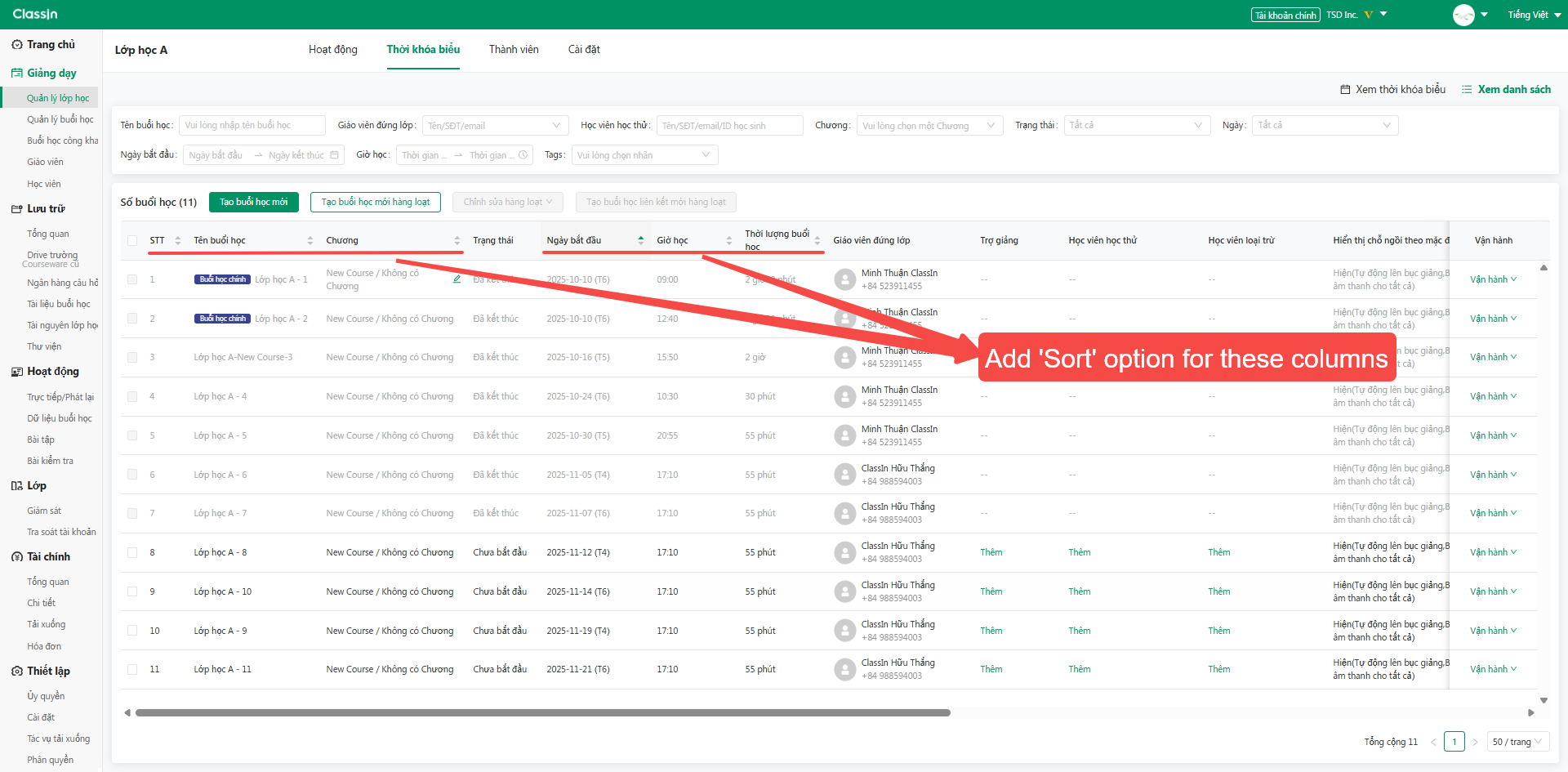
The school has many main classes and make-up classes that do not take place in the same order as the current default order on the dashboard. The school would like to request the development of a sorting feature for the following information columns to make management easier.
业务要求:
Add 'Sort' option for these columns:
- No (序号)
- Lesson Name (课堂名称)
- Unit (单元主题)
- Start Date (开课日期)
- Start Time (开课时间)
- Duration (课堂时长)
收益或影响:Highly requested from client who has over 100 lessons/class
0
0
关联反馈
| 关联反馈 | - | - | - | - |
|---|
相关话题
- Add 'Sort' (排序) option for Course (课程) and Unit (单元)
- [Dashboard - Course] Update batch delete students out of course
- Add Bulk Delete Option for Chat Conversations
- [Dashboard] Course table (课程管理) have the data of Last lesson date (最新节课日期)
- [API & Dashboard] A function to mute the course Chat
- 云盘/班级文件 排序管理
- Dashboard: Add holiday list to avoid scheduling lessons on those days
- Synchronize LMS Course data/activities between the Client App and Dashboard
- LMS Answer sheet/ Test: add Not Given option to True/False question
- [Class] Adding Batch Add Teachers in Class List View