
Add 'Sort' (排序) option for Course (课程) and Unit (单元)
2025-11-10 12:56:00
102次阅读
1个评论
优先级:
任务状态:
来源:Vietnam Clients
业务场景:In one class, there are multiple activities (such as assignments, tests, recorded lessons,...) in addition to the online lessons, and there are also make-up lessons.
Teachers and students sometimes get confused during usage, so they hope to have a sorting function to view the activities and lessons in their preferred order.
Teachers and students sometimes get confused during usage, so they hope to have a sorting function to view the activities and lessons in their preferred order.
业务要求:
Add 'Sort' (排序) option for Course (课程) and Unit (单元)
Please add these sort option to the App Client:
- Name from A - Z
- Name from Z - A
- Newest start time
- Oldest start time
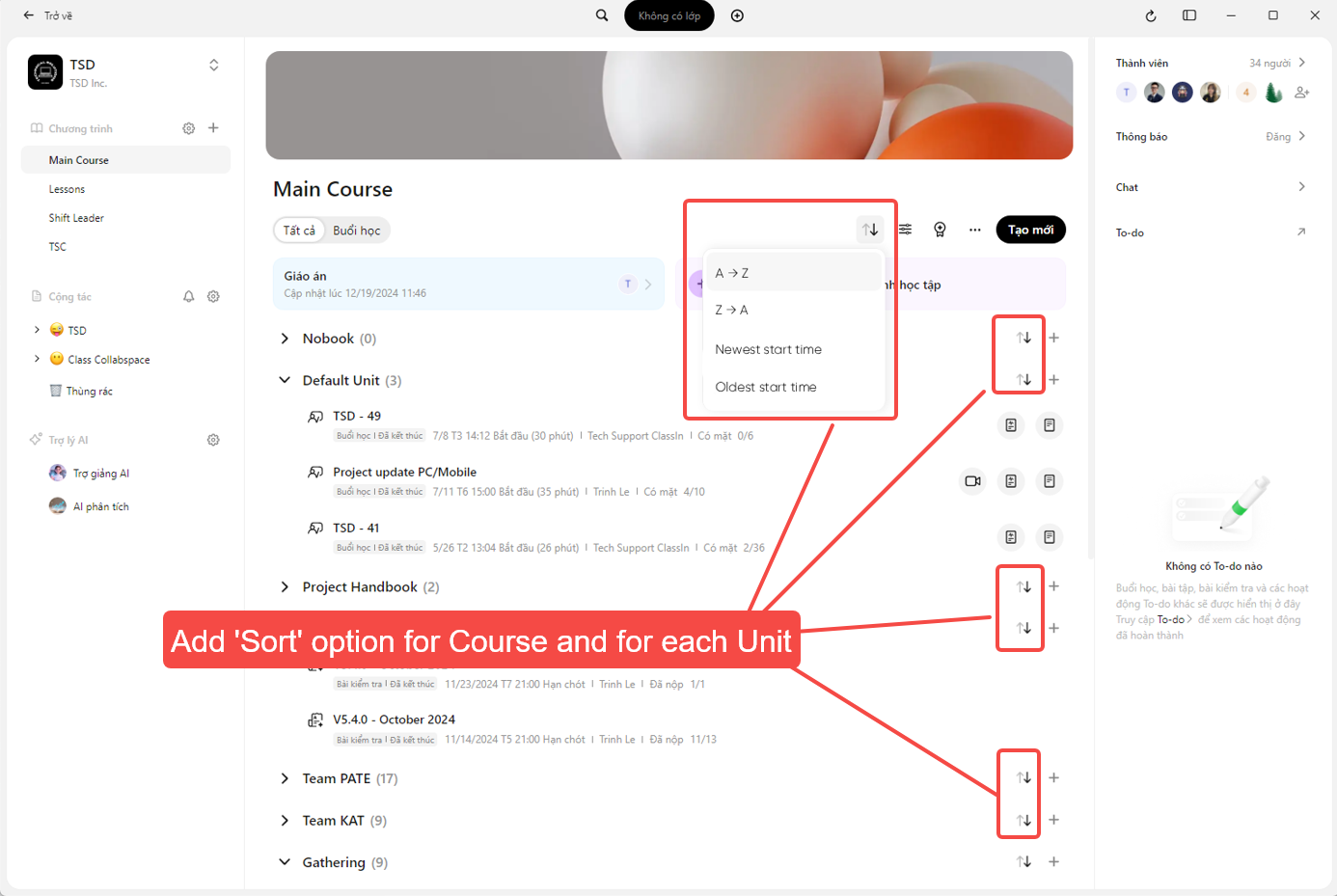
收益或影响:Highly requested from client who has over 100 lessons/class
0
0
关联反馈
| 关联反馈 | - | - | - | - |
|---|
相关话题
- Add 'Sort' (排序) option in Dashboard (后台) -> Course Management (班级管理) -> Schedule (课表)
- Add Bulk Delete Option for Chat Conversations
- Add Date filter option (日期筛选器) for Ended Lesson (已结束课节)
- [Android only] Removed member still can view the course information, member list and add friend
- Unit description (单元介绍) has display issues
- Filter option for Lessons (example: filter by date, status,..)
- Synchronize LMS Course data/activities between the Client App and Dashboard
- LMS Answer sheet/ Test: add Not Given option to True/False question
- Batch Create: Copy Course (课程)
- Prerequisite: Open the video of the recorded lesson, watch it for 1 second, and the next activity will be unlocked automatically