
Inside Classroom - Open LMS Assignment: Edit image - add text function has problem
2026-01-13 16:28:34
89次阅读
1个评论
优先级:
任务状态:
来源:Vietnam Clients
现象:
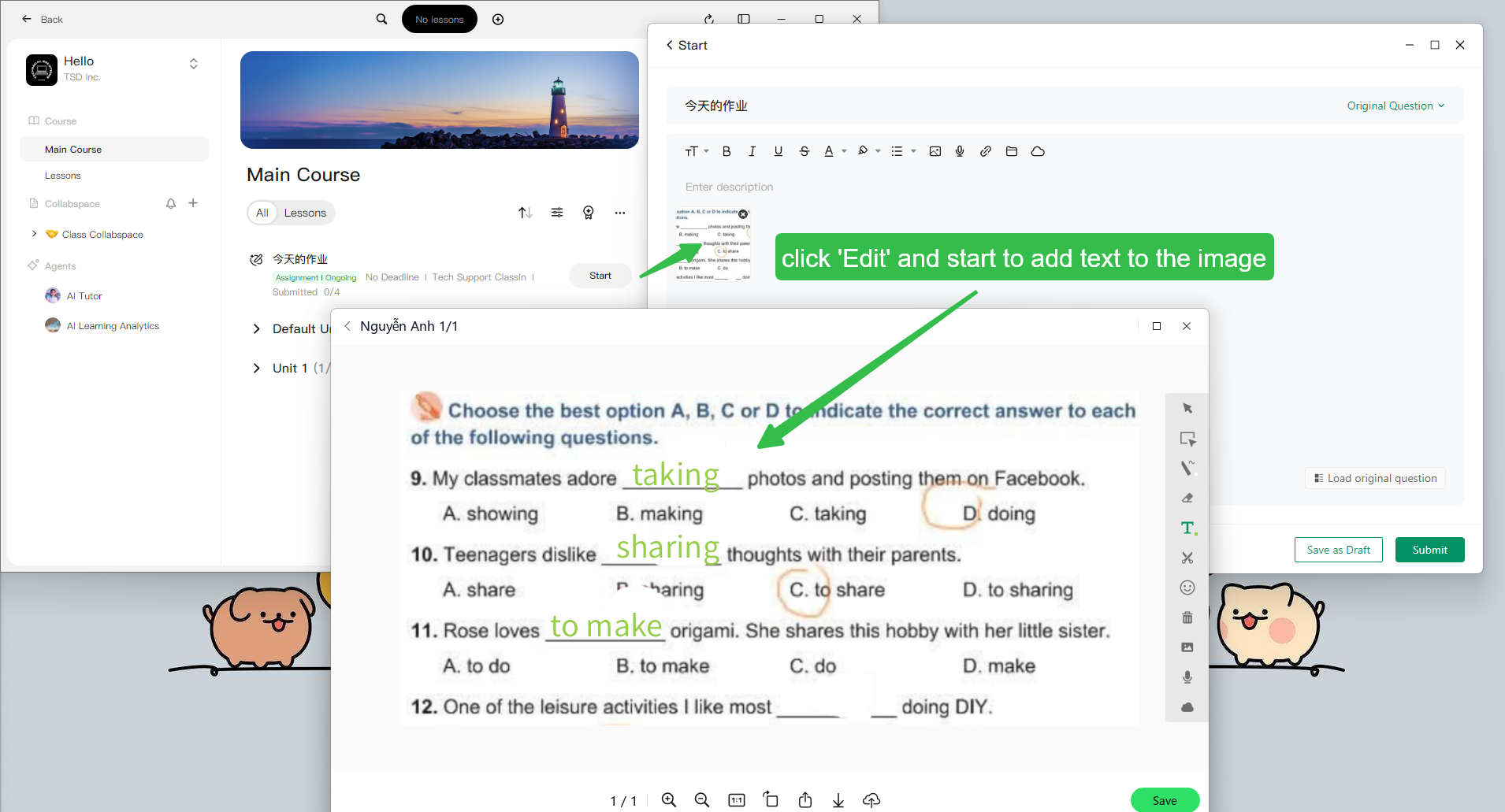
Original flow:
Student upload a picture in Assignment activity -> Edit picture -> Add Text -> Submit assignment
Inside virtual Classroom -> Teacher open that picture to review directly with Student -> Teacher side: the display is normal; Student side: the text in the image displays bigger and places randomly unlike the original one that has been submitted
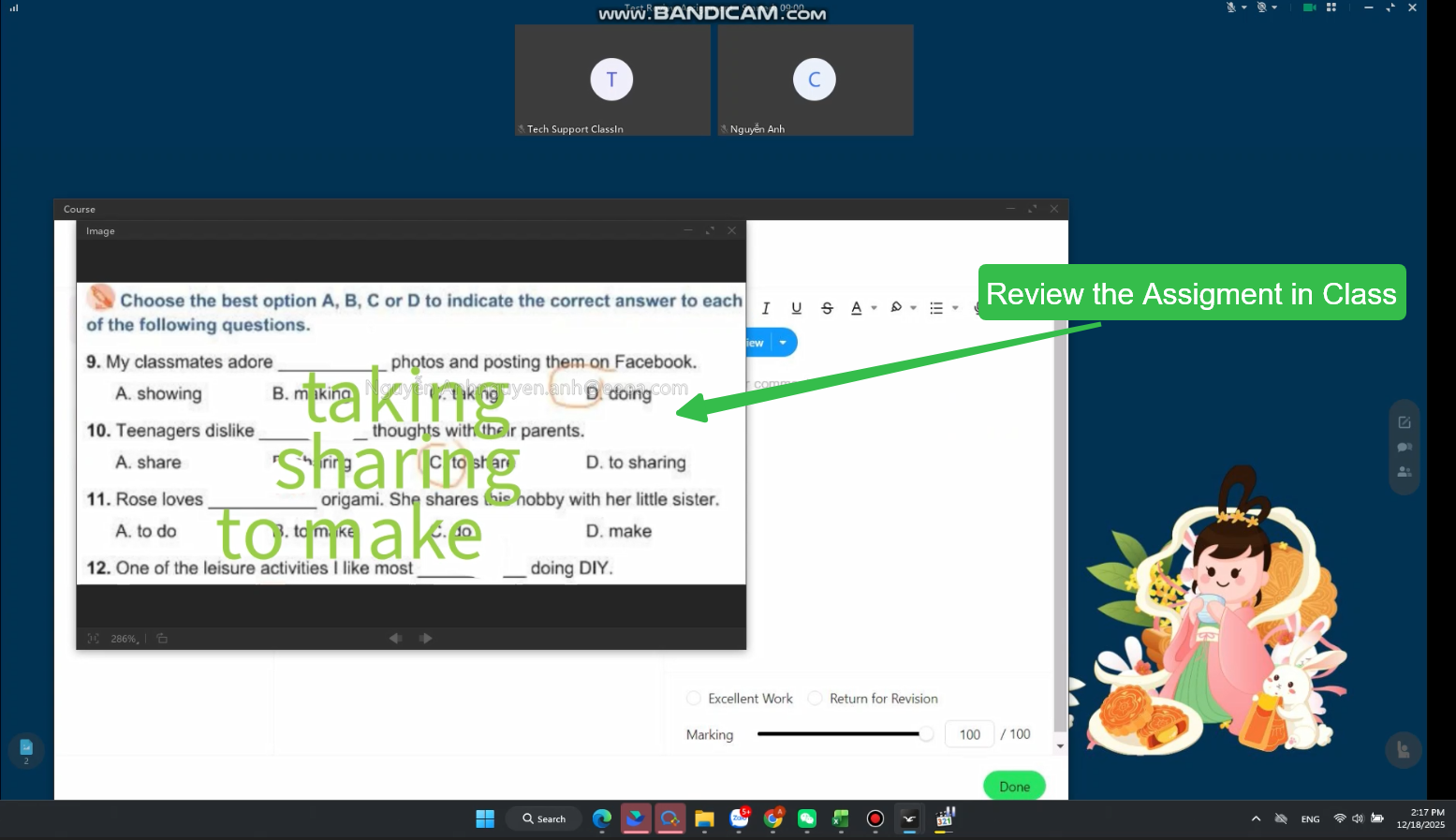
预期:
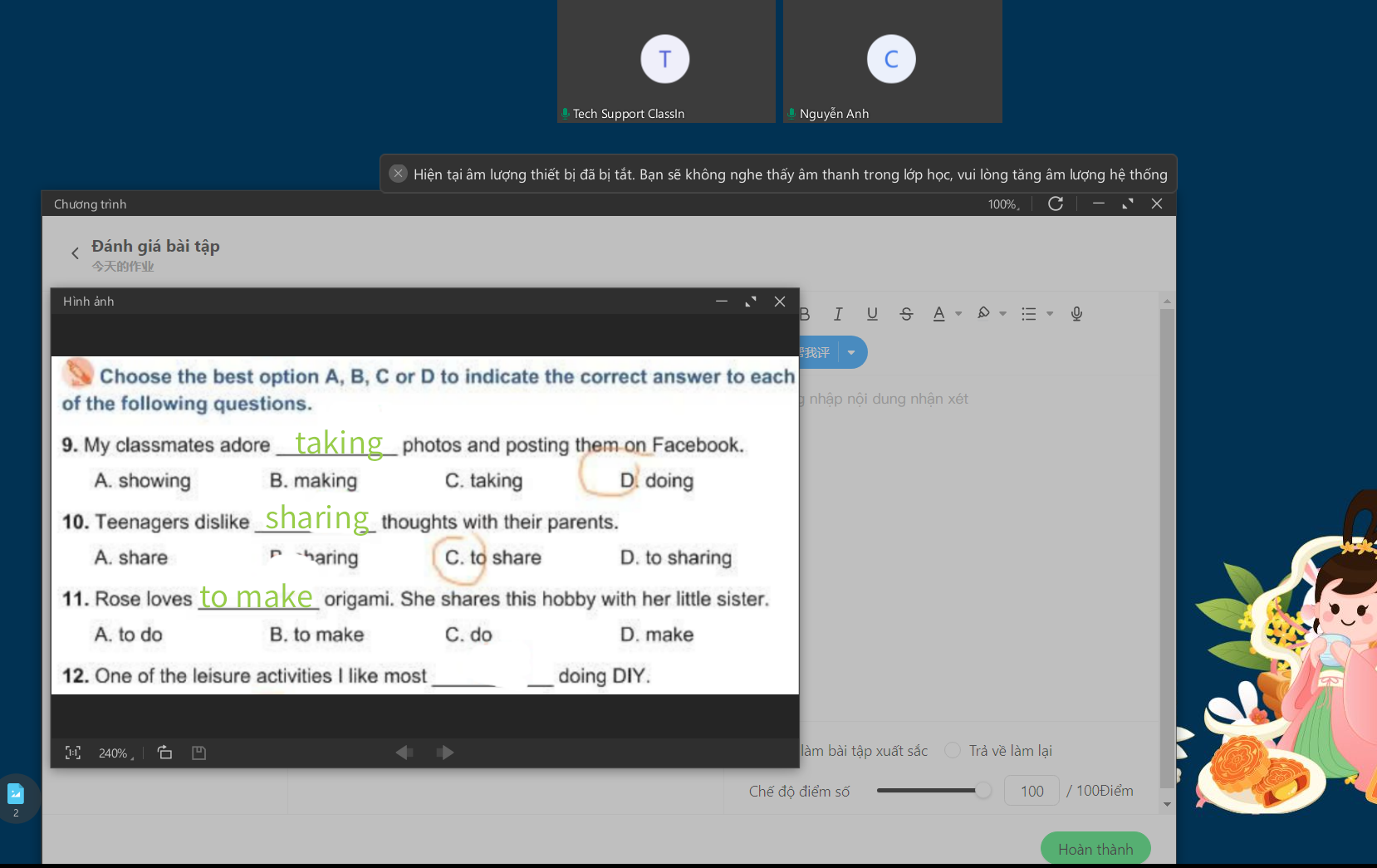
The image on Student side is expecting to display normal like the displaying in Teacher Side
版本:6.0.5.370
设备信息:Lenovo T16 Windows
0
0
关联反馈
| 关联反馈 | - | - | - | - |
|---|
相关话题
- Direct message/chat between teacher and student inside classroom
- Add “Copy Class” Function to Duplicate Entire Class Structure
- Create a function for batch apply or batch edit the score of each question
- [LMS] Update teacher field - Only assigned teacher can edit the activity
- LMS Answer sheet/ Test: add Not Given option to True/False question
- Download Assignment report as PDF
- Vietnamese typo conversion issues in Assignment description - TeacherIn
- Unit description (单元介绍) has display issues
- API After Class Data user's mic total open time
- Adding highlight/underline/text tool for PDF interaction (Answer sheet)